HW110LC/TC Table Saws: Riving Knife Spreader Bracket Adjustment

Created by Gabriel Izzo, Modified on Wed, 27 May at 4:21 PM by Gabriel Izzo

Alpha HW110LC / HW110TC Table Saws · Maintenance
Riving Knife Spreader Bracket Adjustment
Applicable Models
Alpha HW110LC-36 / HW110LC-36P (2HP)
Alpha HW110TC-36 / HW110TC-52 / HW110TC-P (3HP)
Overview

This guide walks through adjusting the riving knife spreader bracket on the HW110LC and HW110TC table saws. This adjustment may resolve rocking or play in the riving knife or blade guard assembly, or — if over-tightened — resistance when raising and lowering the blade. The goal is to find the correct pressure: snug enough to eliminate slop, while allowing the bracket to self-adjust freely during blade height changes.

Table Saw Safety
+
Disconnect the table saw from power before performing any maintenance or adjustments. Never work on the saw while it is connected to a power source.
+
Wear safety glasses throughout this procedure to protect against debris or unexpected contact with components.
+
Wear fitted clothing and remove dangling jewelry before reaching into the cabinet — loose items can catch on internal components.
+
Keep the work area clear of unnecessary tools and materials before beginning. A clean, uncluttered workspace reduces the risk of trips and distractions.
+
Familiarize yourself with the instruction manual for your model before beginning. Understanding all parts involved helps avoid incorrect handling or damage.
Tools Required
8mm Socket Wrench
3mm Ball-End Hex Wrench
Adjustment Procedure
1
Access the Spreader Bracket
Remove the blade insert from the table.
Remove the cabinet side panel.
Remove the motor cover to expose the arbor and spreader bracket assembly.
2
Adjust the Spreader Bracket

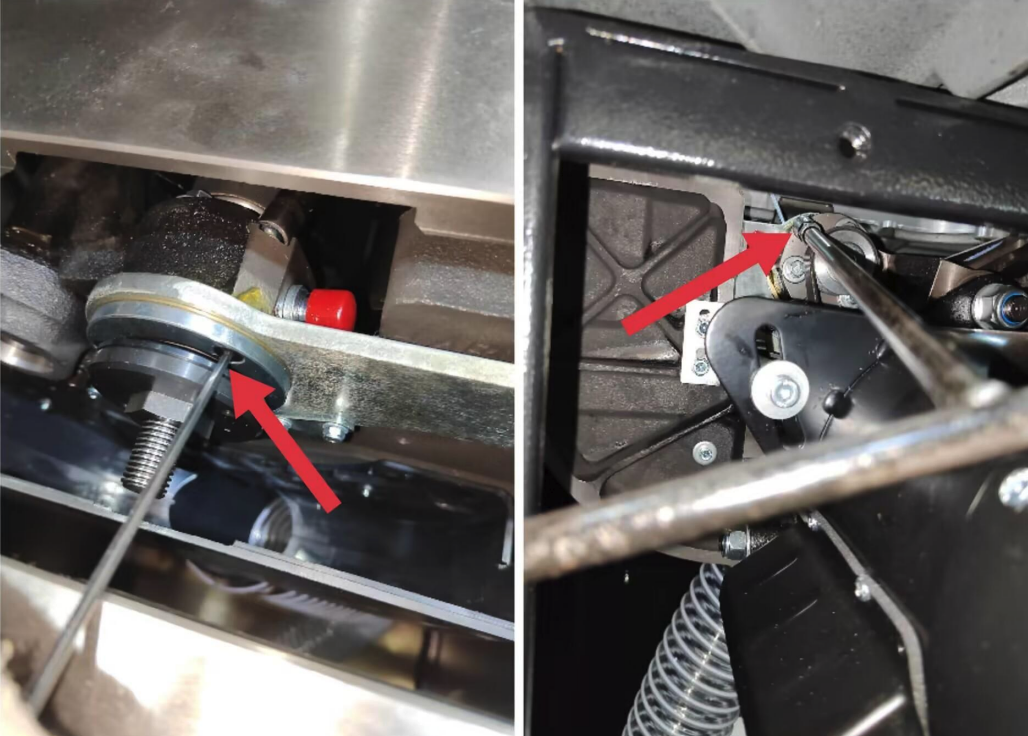
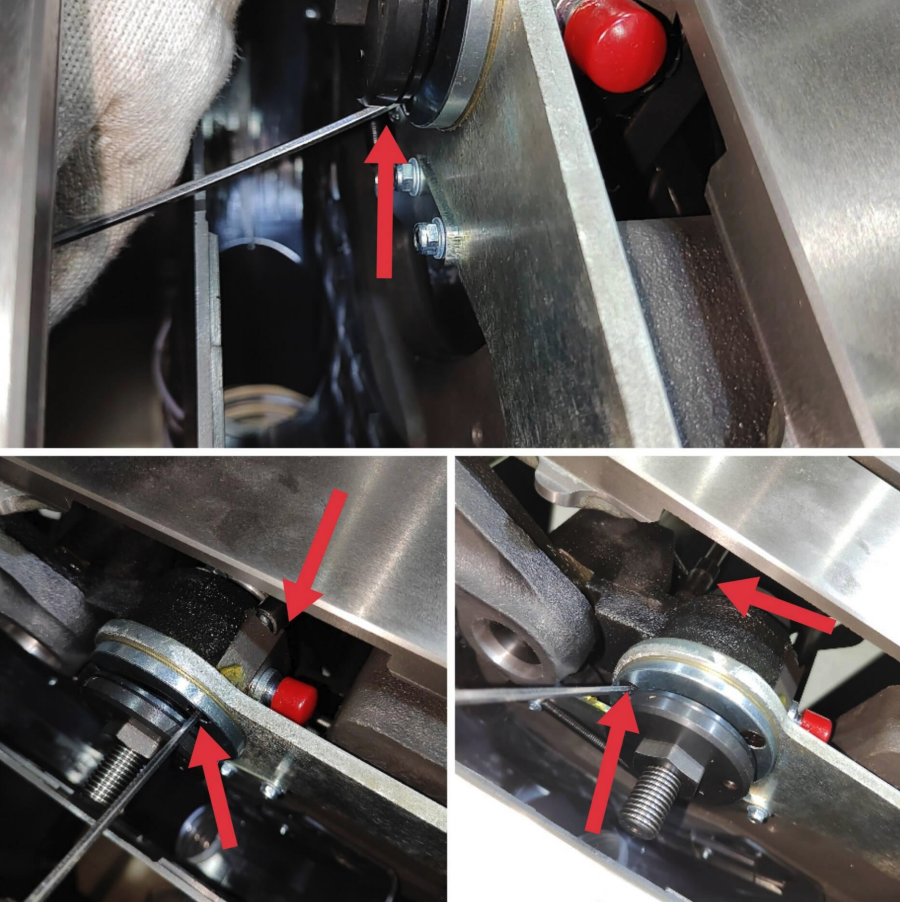
The arbor flange and pulley may limit access to the hex screws and nuts. The arbor must be removed before making these adjustments and reinstalled afterward. The photos below show the locations of the screws and nuts to adjust — indicated by red arrows.

Using the 8mm socket wrench and 3mm ball-end hex wrench, adjust the indicated screws and nuts.
Tighten snug — just enough to eliminate vertical and lateral play in the riving knife and blade guard assembly when installing or removing the riving knife.
Do not over-tighten. Excessive pressure on the spreader bracket will prevent it from self-adjusting during blade height changes, causing significant resistance when raising or lowering the blade. If this occurs, back the nuts off a quarter turn counterclockwise and test again.
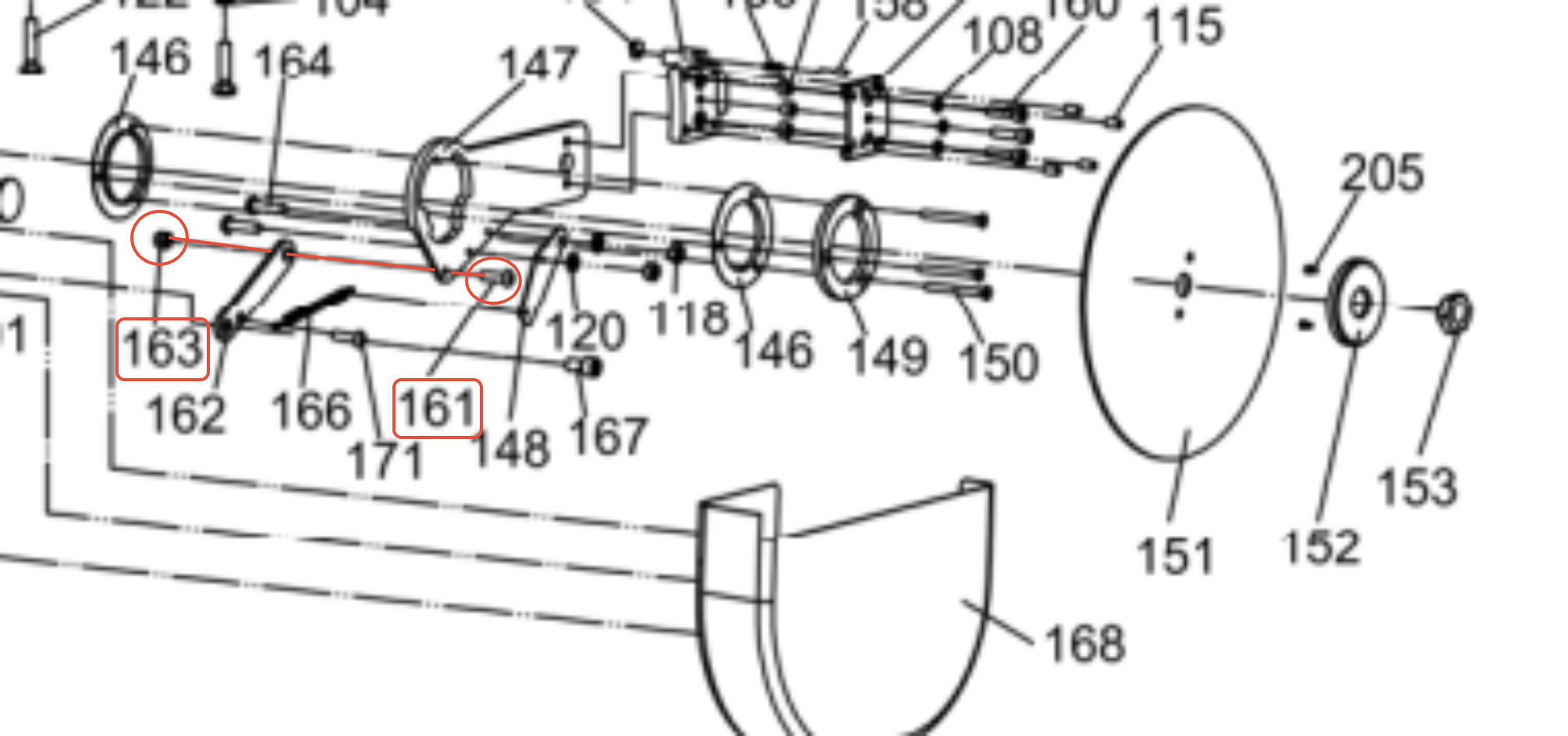
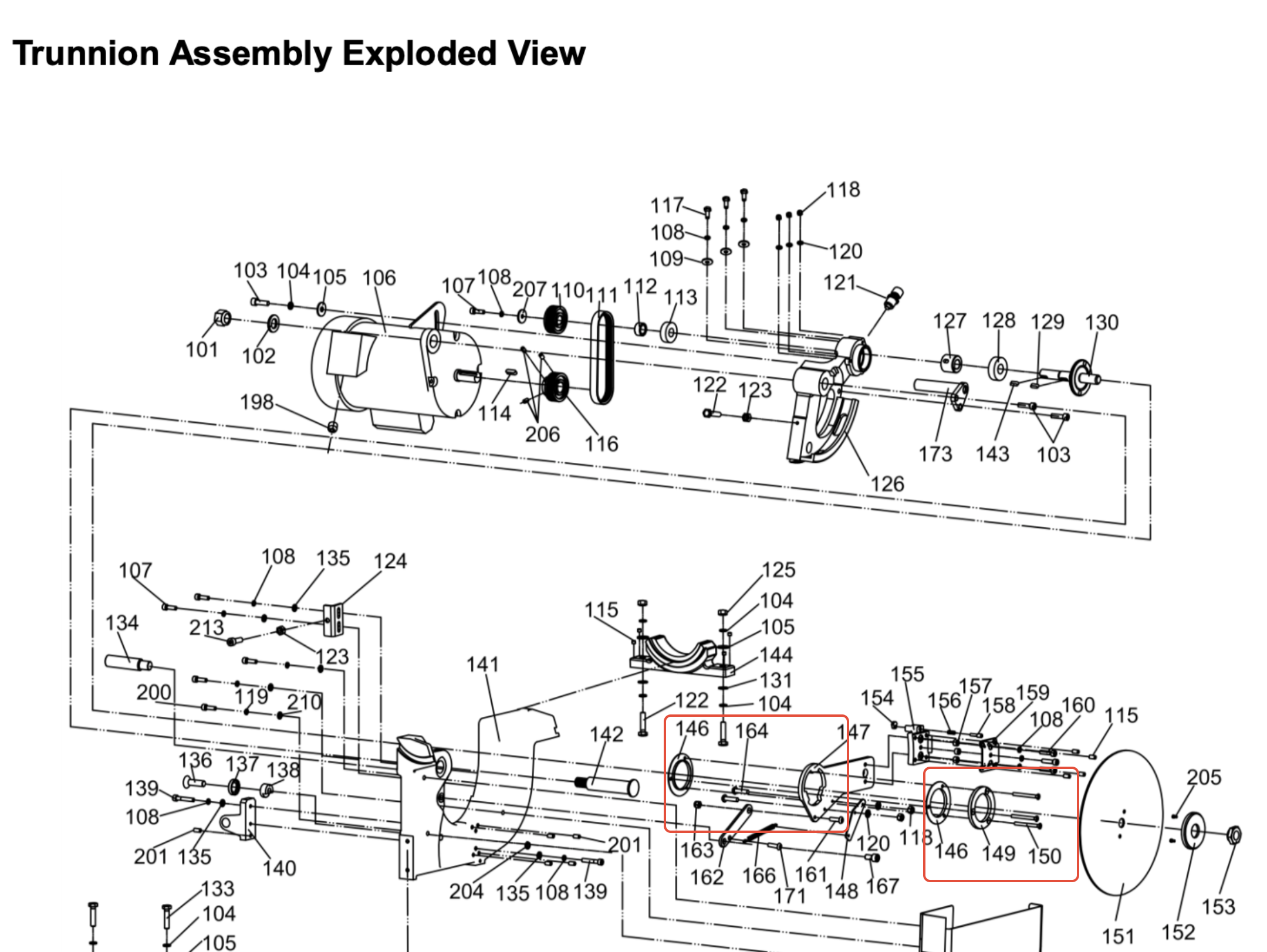
If abnormal resistance raising and lowering the trunnion assembly persists, tighten screw #161 and lock nut #163 and test functionality again.
Spreader Bracket — Screw & Nut Locations (Red Arrows)
Spreader bracket screw and nut adjustment locations
Reference — Spreader Bracket Assembly (1 of 2)
Spreader bracket assembly reference photo 1
Reference — Spreader Bracket Assembly (2 of 2)
Spreader bracket assembly reference photo 2
Reference — Screw #161 & Lock Nut #163 Location
Screw 161 and lock nut 163 location reference
Reassemble & Test
Reinstall the arbor and reassemble all removed panels and covers.
Install and remove the riving knife several times and verify there is no shift, slop, or looseness in the bracket assembly.
Test raising and lowering the blade — the spreader bracket arm should move freely without getting stuck or creating significant resistance.
Reconnect power and make a test cut with a scrap piece of wood. The riving knife and blade guard assembly should remain stable with no rocking or looseness during operation.
If resistance persists after adjustment, contact our support team for further diagnostics before continuing to use the saw.
i

For further assistance with spreader bracket adjustment, please contact our support team.

Was this article helpful?

That’s Great!

Thank you for your feedback

Sorry! We couldn't be helpful

Thank you for your feedback

Let us know how can we improve this article!

Select at least one of the reasons
CAPTCHA verification is required.

Feedback sent

We appreciate your effort and will try to fix the article