Gyro Air G-700: Small Dust Bin Photoelectric Sensor Installation Guide

Created by Gabriel Izzo, Modified on Mon, 22 Jun at 4:36 PM by Gabriel Izzo

Harvey Industries · Gyro Air G-700 · Installation Guide
Small Dust Bin Photoelectric Sensor Installation

The Harvey Gyro Air G-700 comes with a photoelectric switch installed over the large dust bin which triggers the full bin alarm. In typical use, the large bin fills first due to the variation in particle sizes — larger particles fall into the large bin while finer dust passes through to the small bin.

However, in applications that produce primarily fine or uniform-sized particles — such as CNC machining MDF or large-volume sanding equipment — the small bin may fill before the large bin and before the alarm is triggered. If material continues to be processed, this can lead to overfilling, clogged filters, and compacted separators.

If your application is primarily of this nature, the G-700 can be modified to install a secondary photoelectric sensor over the small dust bin, which will trigger the alarm before the filters or separators become compacted.

Sensor Availability

The Gyro Air Series G-700 photoelectric sensor is available for purchase on request, pending availability. Contact Harvey support to inquire about pricing and availability before beginning this installation.
⚠ Safety — Before Beginning
Turn the machine OFF and unplug it from power before beginning any work on the machine.
!
Wear appropriate safety equipment — eye protection and gloves — when drilling or tapping metal.
Tools & Materials Required
Drill
3/4" drill bit
5 mm or 13/64" drill bit (pilot hole)
M6 tap (for threading mounting holes)
Fine flathead screwdriver (electronics size)
Marker
Sealant (for airtight installation)
M6 × 1.0 × 16 mm mounting screws
Installation Procedure
1
Drill the Sensor Opening
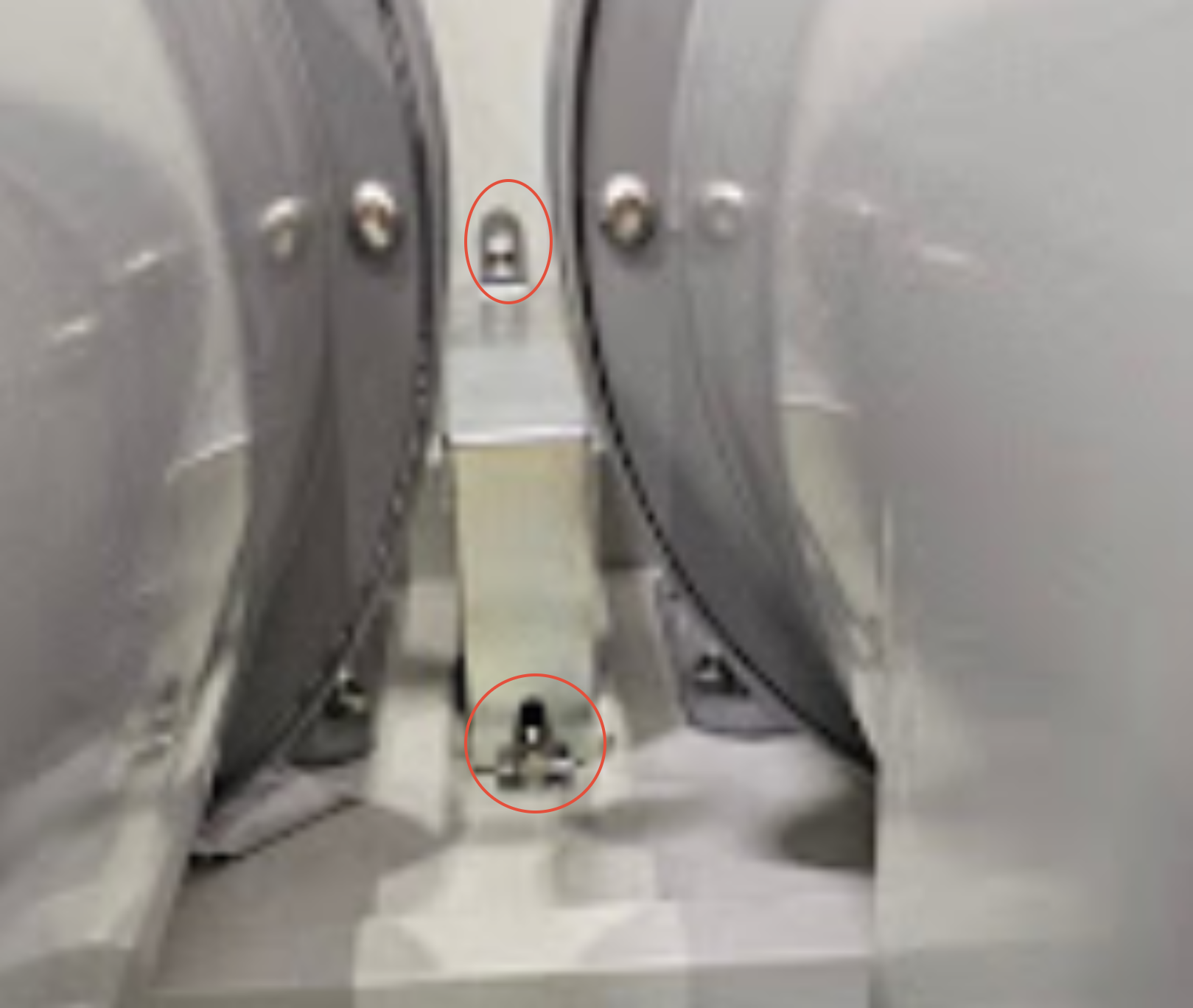
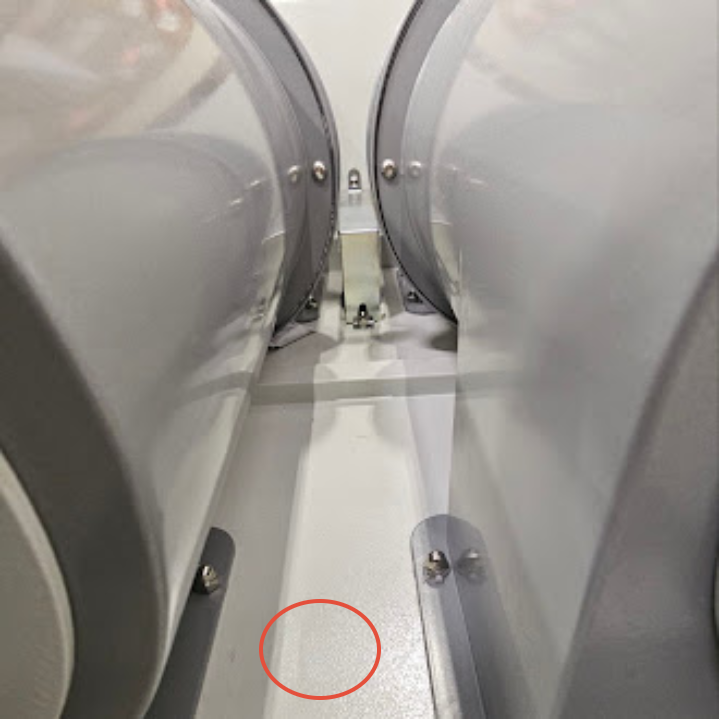
Locate the small dust bin on the G-700.
Identify a position centered above the bin.
Drill a 3/4" hole at this location so the sensor body can pass through the machine wall.
Step 1 — Sensor Opening Location
Sensor opening drilled centered above the small dust bin
2
Mark and Drill Mounting Holes
Insert the sensor bracket into the 3/4" hole.
Use a marker to mark the locations of the two sensor bracket mounting holes.
Set aside the sensor bracket.
Drill the marked holes using a 5 mm or 13/64" drill bit to create pilot holes.
Use an M6 tap to thread the holes for the mounting screws.
3
Connect the Sensor Wiring — Test Before Final Installation
A — Access the Electrical Box
1
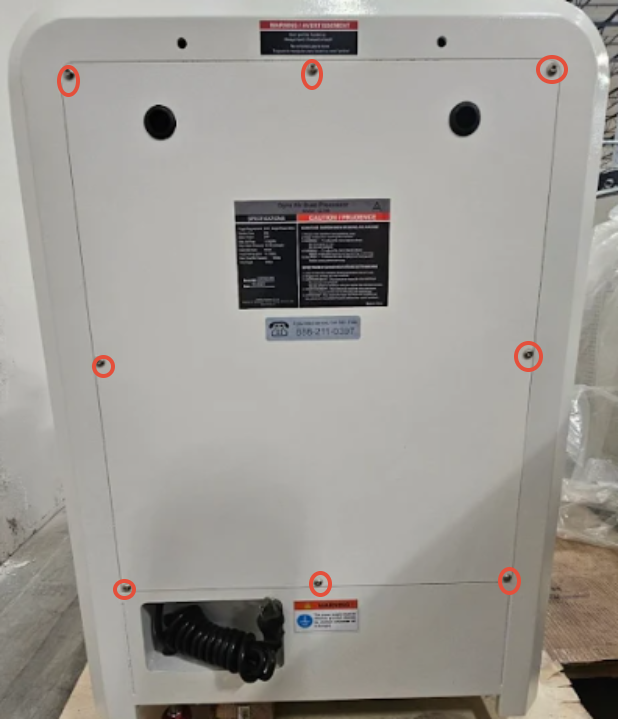
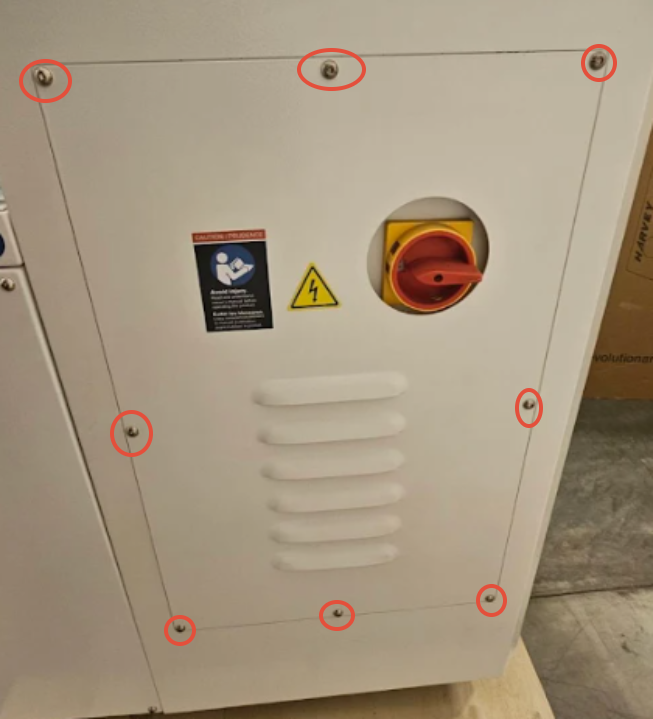
Remove the rear panel of the machine.
2
Remove the left side panel.
3
Turn the main power switch to the OFF position (it is locked onto the switch stem in the ON position).
4
Access the electrical box and remove the four screws securing the electrical box cover.
5
Carefully pull the electrical box cover off the main switch stem.
Step 3A — Electrical Box Access
Electrical box panel removal
Step 3A — Electrical Box Cover Removal
Electrical box cover pulled off switch stem
B — Route and Connect the Sensor Wiring
1
Remove the switch bracket housing covering the large bin sensor.
2
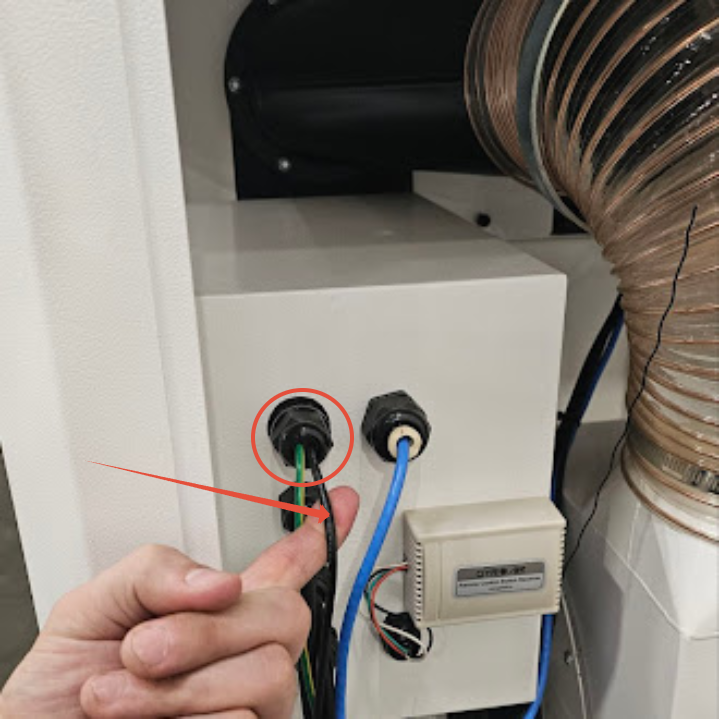
Loosen the wire glands where the large bin sensor wires enter the machine wall.
3
Feed the small bin sensor wires through the same gland used by the large bin sensor.
4
Continue routing the wires through the gland on the right side of the electrical box where the pink, blue, brown, and black wires enter.
5
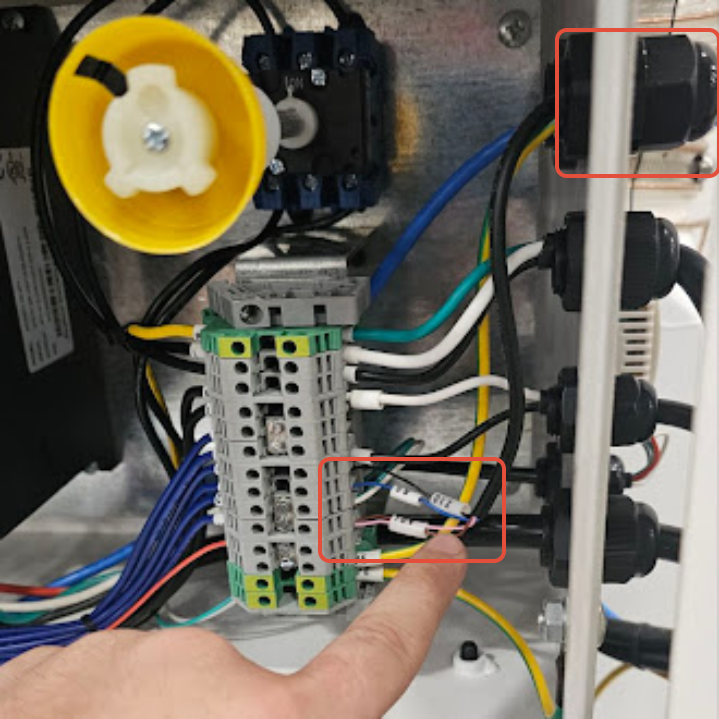
Locate the lower right side of the terminal block.
6
Connect the wires to the same terminals as the large bin sensor, matching by wire color. Use a small flathead screwdriver to tighten the terminal screws.
Wire ColorTerminal to Connect To
BlueBlue wire terminal
BlackBlack wire terminal
PinkPink wire terminal
BrownBrown wire terminal
After installation: Each terminal should contain two wires — one from the large bin sensor and one from the small bin sensor. This allows either sensor to independently trigger the dust bin alarm.
Step 3B — Terminal Block Location
Terminal block lower right side location
Step 3B — Wire Routing Through Gland
Sensor wires routed through wire gland
Step 3B — Completed Terminal Connections
Completed wiring with two wires per terminal
4
Test the Sensor Operation
Restore power and turn the machine ON.
Block the sensor with your hand to simulate a full bin.
After approximately 5–10 seconds, the dust bin alarm should activate.
If the alarm triggers correctly, the sensor is functioning properly. Power off and unplug the machine before proceeding to final installation.
Final Mounting and Sealing
Apply sealant around the sensor cavity to prevent air leaks.
Tighten the plastic nut underneath the sensor to secure it in place.
Install and tighten the two M6 × 1.0 × 16 mm mounting screws.
Verify the installation is secure and airtight before returning to service.
Installation is complete. The small dust bin sensor will now detect when the bin is full and trigger the dust bin alarm independently of the large bin sensor.
i

For installation assistance or to order a replacement photoelectric sensor, please contact our support team or call 888-211-0397.

Was this article helpful?

That’s Great!

Thank you for your feedback

Sorry! We couldn't be helpful

Thank you for your feedback

Let us know how can we improve this article!

Select at least one of the reasons
CAPTCHA verification is required.

Feedback sent

We appreciate your effort and will try to fix the article