Alpha HW615/Ambassador C14 Band Saws: Guide and Thrust Bearing Information and Changing Blade Guide Bearings
Created by Gabriel Izzo, Modified on Wed, 20 May at 7:39 PM by Gabriel Izzo
| Bearing | Part No. | ID | OD | Width |
|---|---|---|---|---|
| Lower Thrust Bearing | 689RS | 9 mm | 17 mm | 5 mm |
| Upper Thrust Bearing | 608RS | 8 mm | 22 mm | 7 mm |
| Guide Bearings (Upper & Lower) | 608RS | 8 mm | 22 mm | 7 mm |
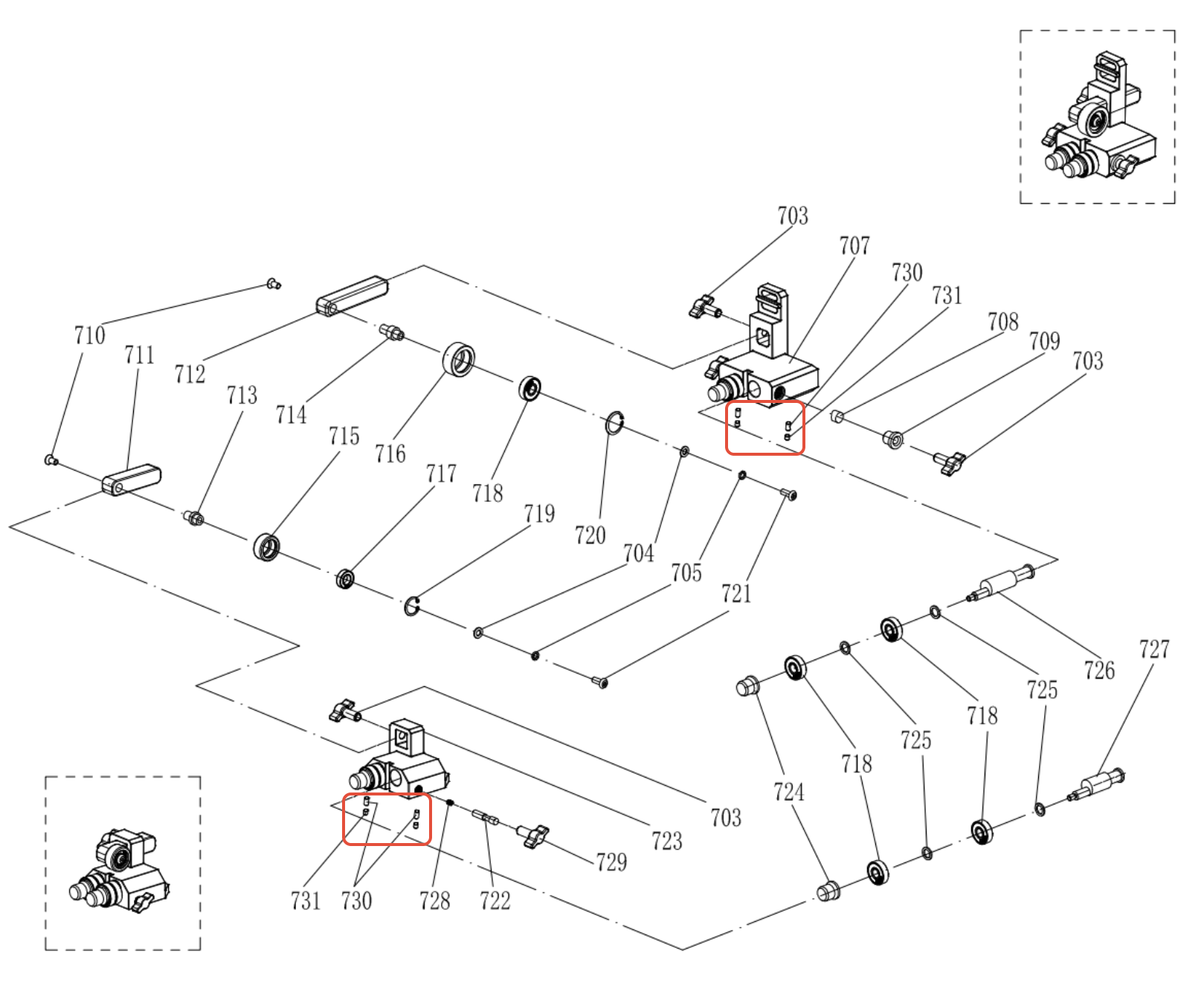
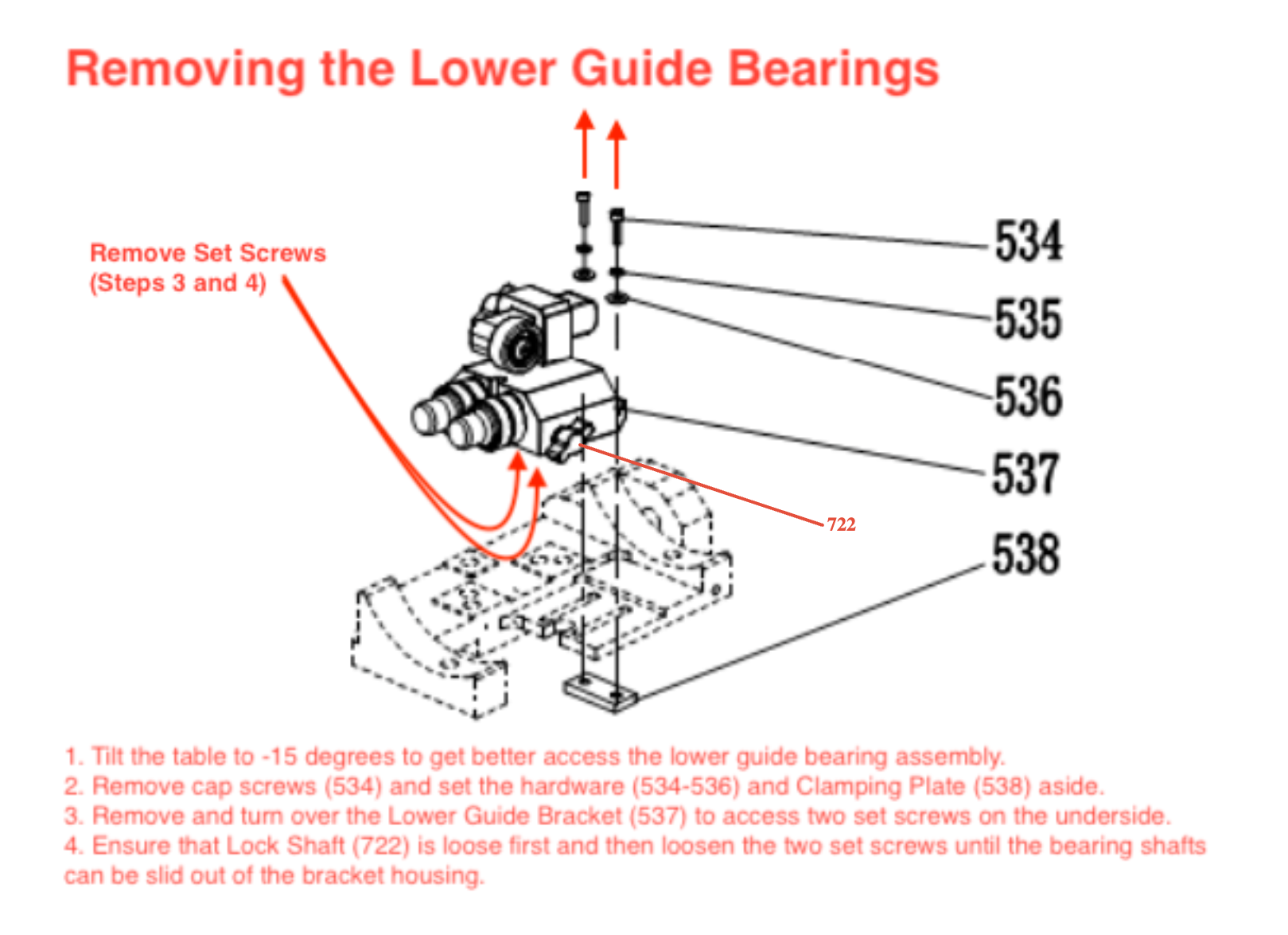
The guide bearing shafts must first be removed from the upper and lower guide brackets before separating the bearings from the shafts. Refer to the diagrams below for guidance on extracting the bearing shafts.
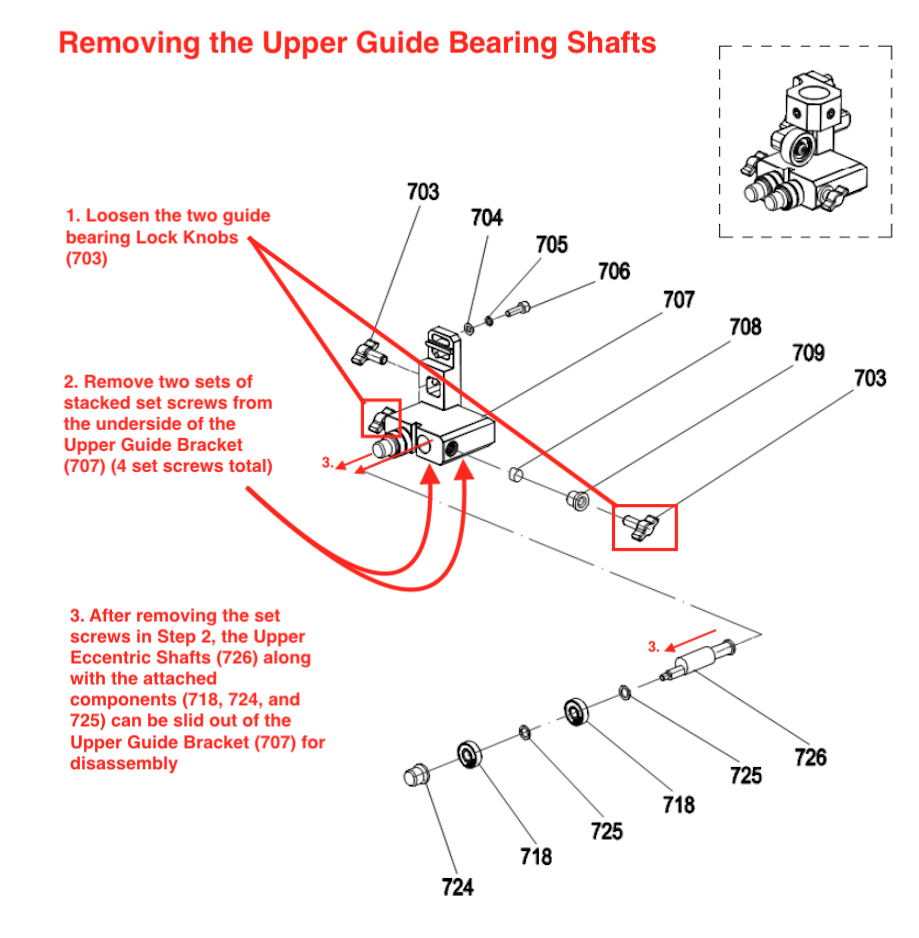
On Pro models with nickel coating there will be two sets of set screws (four total) on the lower bracket assembly, stacked as shown in the exploded parts diagram below. Non-Pro models (C14/HW615 without nickel coating) may only have one set of two set screws.

Place the bearing shaft assembly in a vise. Using pliers, twist off the knurled knob. Once sufficiently loosened, remove the knob and slide the bearings off the shaft.

There are two bearings and two spacers/washers per assembly. When installing new bearings, place them on the shaft in the same order shown above and reassemble in reverse to complete the bearing changeout.

If the bearings are still serviceable, they can be cleaned and re-packed with fresh grease rather than replaced outright:
Remove the bearing side seals.
Clean the bearing raceways with acetone, odorless mineral spirits, or a similar metal-safe degreaser to remove old grease and debris.
Pack general-purpose bearing grease (e.g. Super Lube, Lucas Red & Tacky, or similar) into the raceways and check for smooth rotation. If smooth, reinstall the side seals and clean off any excess grease before installing back onto the shafts.
If the bearing does not spin smoothly after cleaning and re-greasing, it has likely reached the end of its service life and should be replaced with a new bearing.
Optional: After the bearing shafts are installed, apply a dry lubricant such as Dynaglide Tool and Surface Conditioner or WD-40 Specialist Dry Lube to the outside of the bearings periodically. This helps repel dust and debris and promotes smooth long-term operation.
To order replacement bearings or a thrust bearing bracket, please submit a parts request or contact our support team.
Was this article helpful?
That’s Great!
Thank you for your feedback
Sorry! We couldn't be helpful
Thank you for your feedback
Feedback sent
We appreciate your effort and will try to fix the article